For studios · Share
Who it's for · For studios

Face-matched delivery that wows the client — and the culling done for you.

Studionity Share turns a shoot into a personal gallery for every guest: they scan, register one selfie, and see only the frames they're in. Weddings and sangeets, college fests, product launches, corporate summits, birthdays — the same quick-album flow ships them all. And when you want the keepers pulled and colour-graded for you, the Edit space sits right beside it.

The quick album

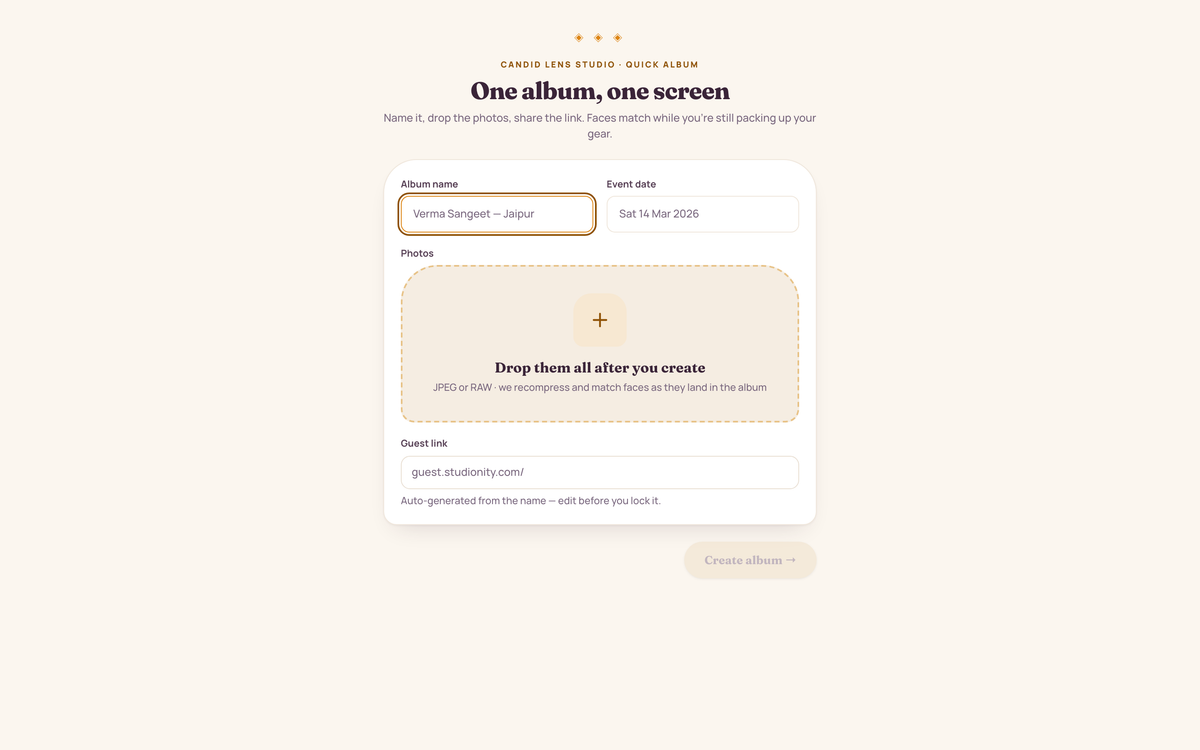
Name it, drop the photos, share the link.

1

Name & drop

One screen: album name, event date, and drop the photos — JPEG or RAW. We recompress every file under 1.5 MB and never store the original.

2

Lock the link

The guest link is auto-generated from the album name — edit it before you lock it. Lock it once and the code keeps working forever, even on printed cards.

3

Faces match as they land

The moment photos upload, the engine matches faces. Share the link or the QR and guests start finding themselves in seconds.
app.studionity.com
Quick album flow: single screen to name the album, set the event date, drop photos, and copy the auto-generated guest link with QR before locking it
Quick album — one screen from name to a shareable link and QR.

The photo library

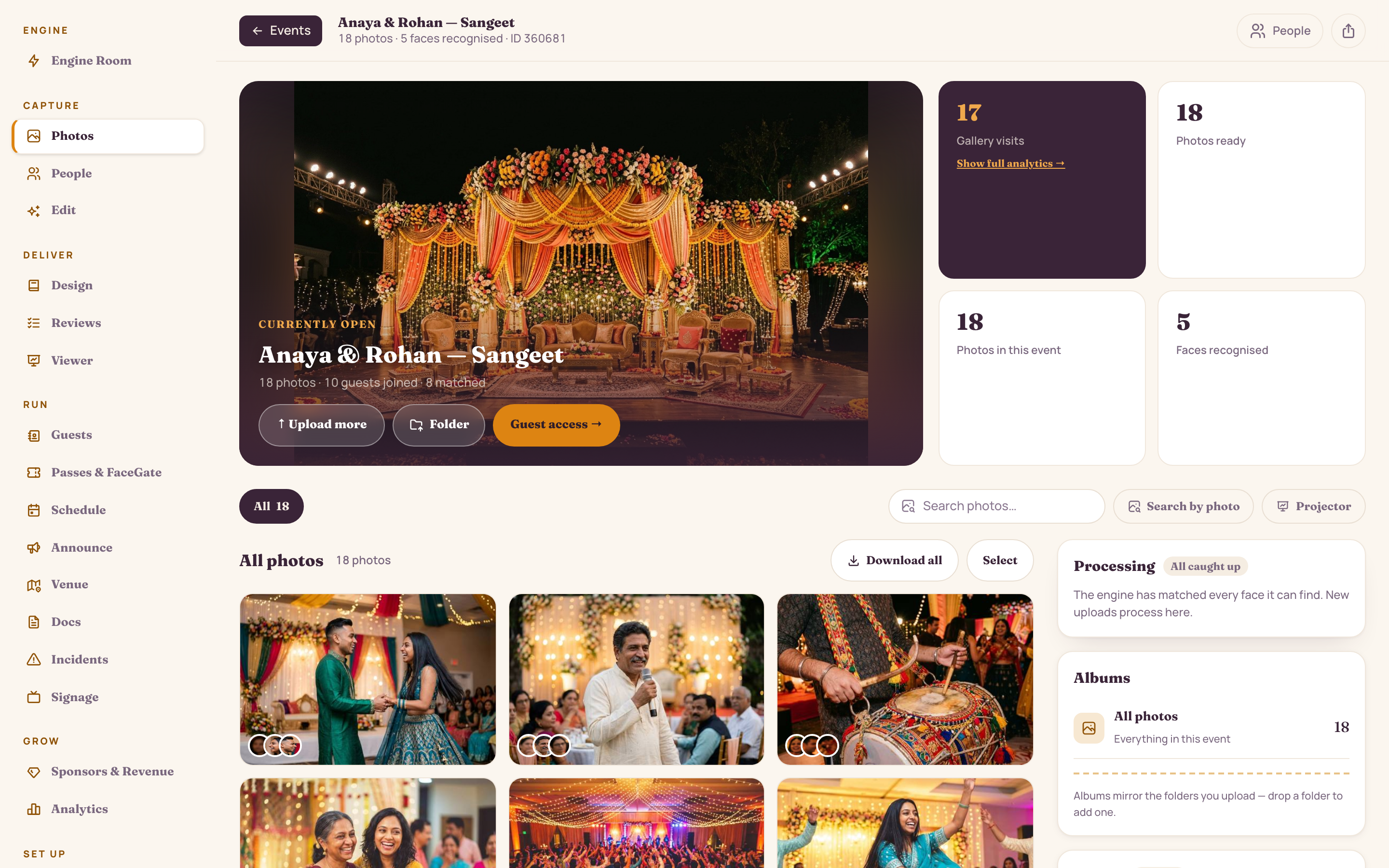
Every face matched — while you're still shooting.

Upload straight from the card. The library organises itself into albums and shows a live matching queue, so you and the client can watch the night fill up in real time.

  • 1,284 photos sorted into albums — Haldi, Sangeet, a Highlights reel, and a Guest-uploads folder guests can add to
  • A live queue: 1,272 done, 12 in queue, 0 failed — no guessing what's left
  • Every stored photo under 1.5 MB; originals are never kept
  • Batch-select and act on the lot — add to an album, hide, or send keepers to Edit
app.studionity.com
Photo library: 1,284 photos across Haldi and Sangeet albums, a live face-matching queue with 12 processing, album organizer, people strip and batch actions
The photo library — 1,284 photos, every face the engine can find.

The guest side

They join by face and see only their photos.

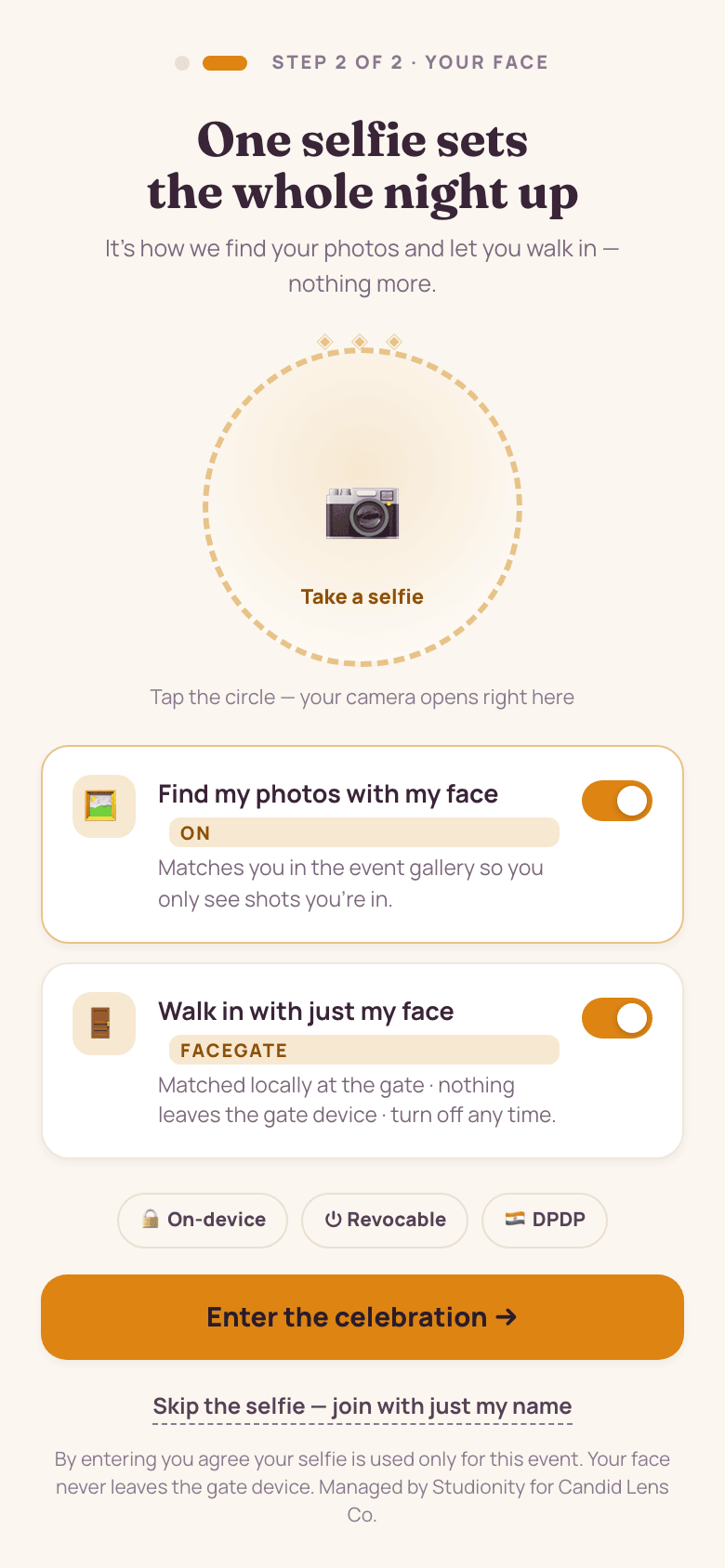
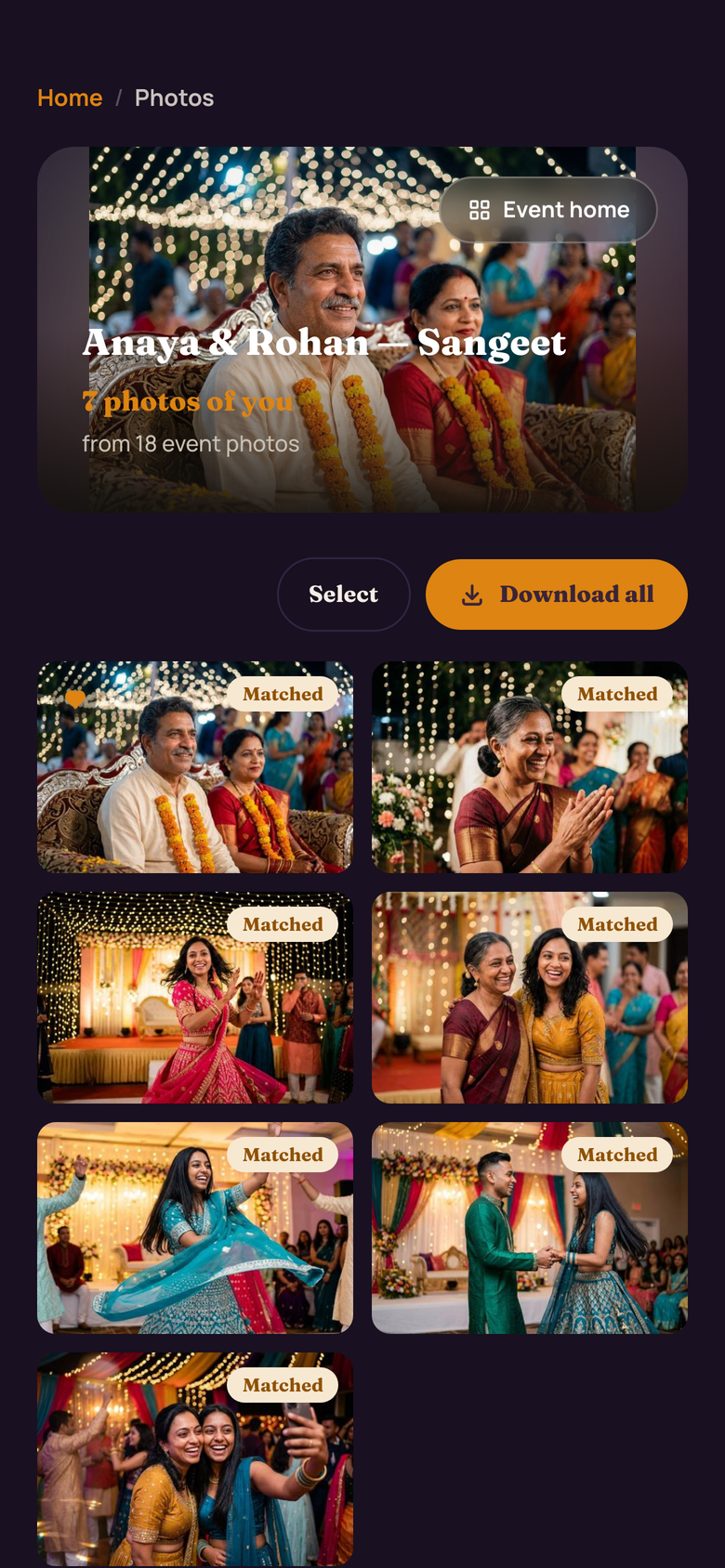
A guest scans your QR, verifies a mobile or email, and registers one selfie — with consent. That single face finds their photos and, if you switch it on, lets them walk in at the door. By default each guest sees only the photos their own face appears in; showing a guest the full gallery is a permission you grant, not the default. Guests who skip the selfie can still join by name — and browse only if you allow it.

  • One selfie, one event — turned into a private numeric fingerprint. Your selfie and face data auto-delete 90 days after the event — hosts can set a shorter window — and you can delete them instantly any time from your gallery profile.
  • On-device FaceGate at the door — revocable any time, DPDP-aligned
  • “Just mine” always; “Everyone's” when you switch it on — heart favourites, and download the lot
Guest join step two: take a selfie for face matching, with consent to find their photos and walk in by face — on-device, revocable, DPDP
One selfie + consent
Guest photo gallery — 'Your night, found by your face': personal face-matched photos with hearts and download all
Your night, found

People & groups

One record per face — and the groups that find them together.

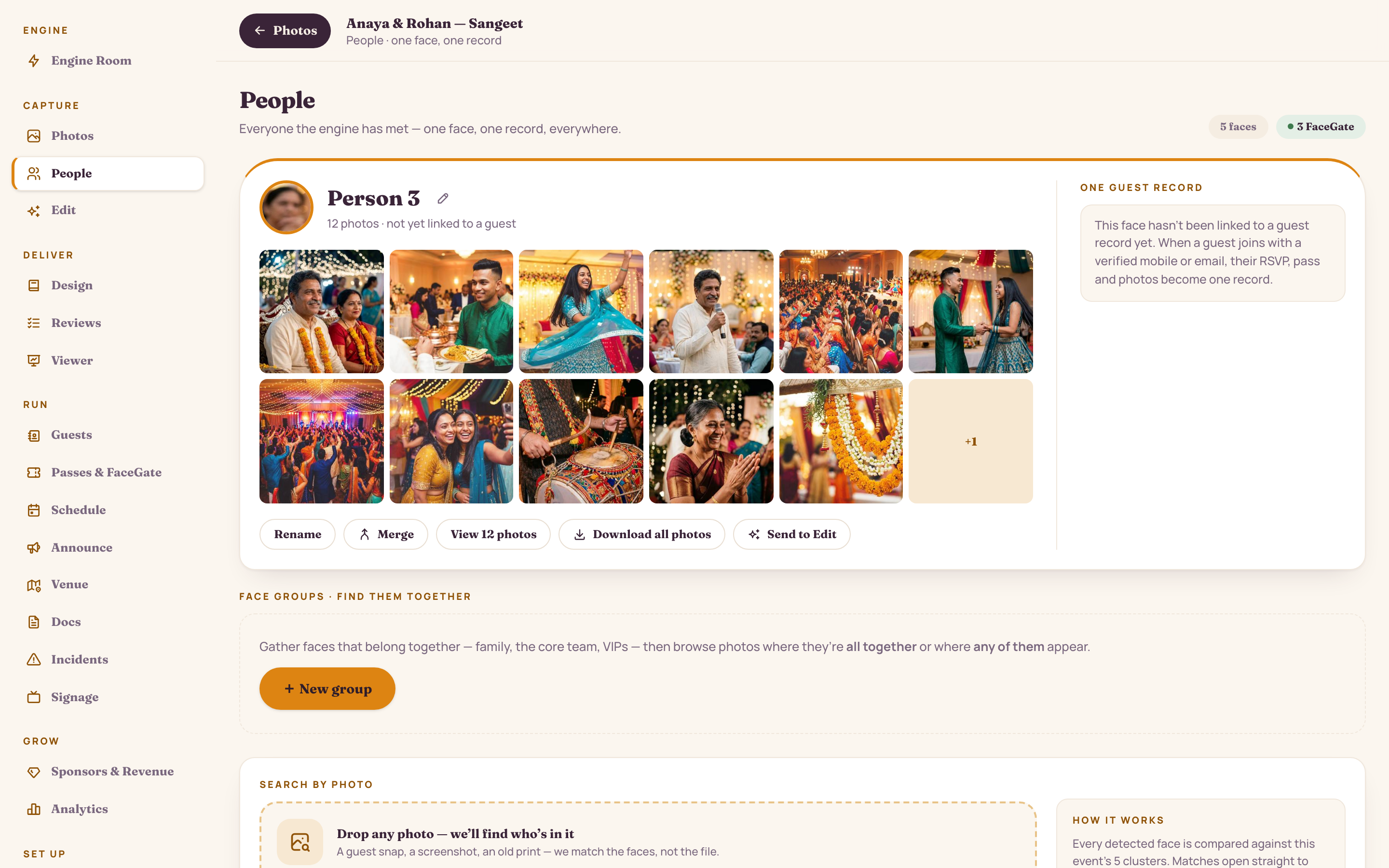
Every guest the engine meets becomes a single record you can name, merge and tag. Then build a Group from a few faces and pull the photos of them together — the bridal party, the founders, the finalists.

  • 214 faces, one record each — rename, merge, or tag “Bride's side” / “FaceGate enrolled”
  • Build a Group and search Any or All-together — “the bridal party, all in frame”: 34 photos
  • Search by photo: drop a guest snap or an old print and we find who's in it — the image is never stored
  • Guest hearts roll up into favourites you can pull straight into the book
app.studionity.com
People directory: one record per guest face, face groups with Any / All-together search, search-by-photo, and rename / merge controls
People — one face, one record, everywhere.

Control & proof

Your gallery, your rules — with numbers to show for it.

Decide exactly how a gallery opens and what a guest can take home, then watch it land. The access controls and the reach report both live in the console — no plugins, no spreadsheets.

  • Gallery PIN on the standard link; a PIN-free signed link for verified guests that expires with the album
  • An anonymous browse link — read-only, no face match, no downloads — for anyone you want to peek but not pull
  • Watermark guest downloads with your studio mark; allow or deny downloads per gallery
  • The link locks when your first QR prints and the code works forever — saved links never break
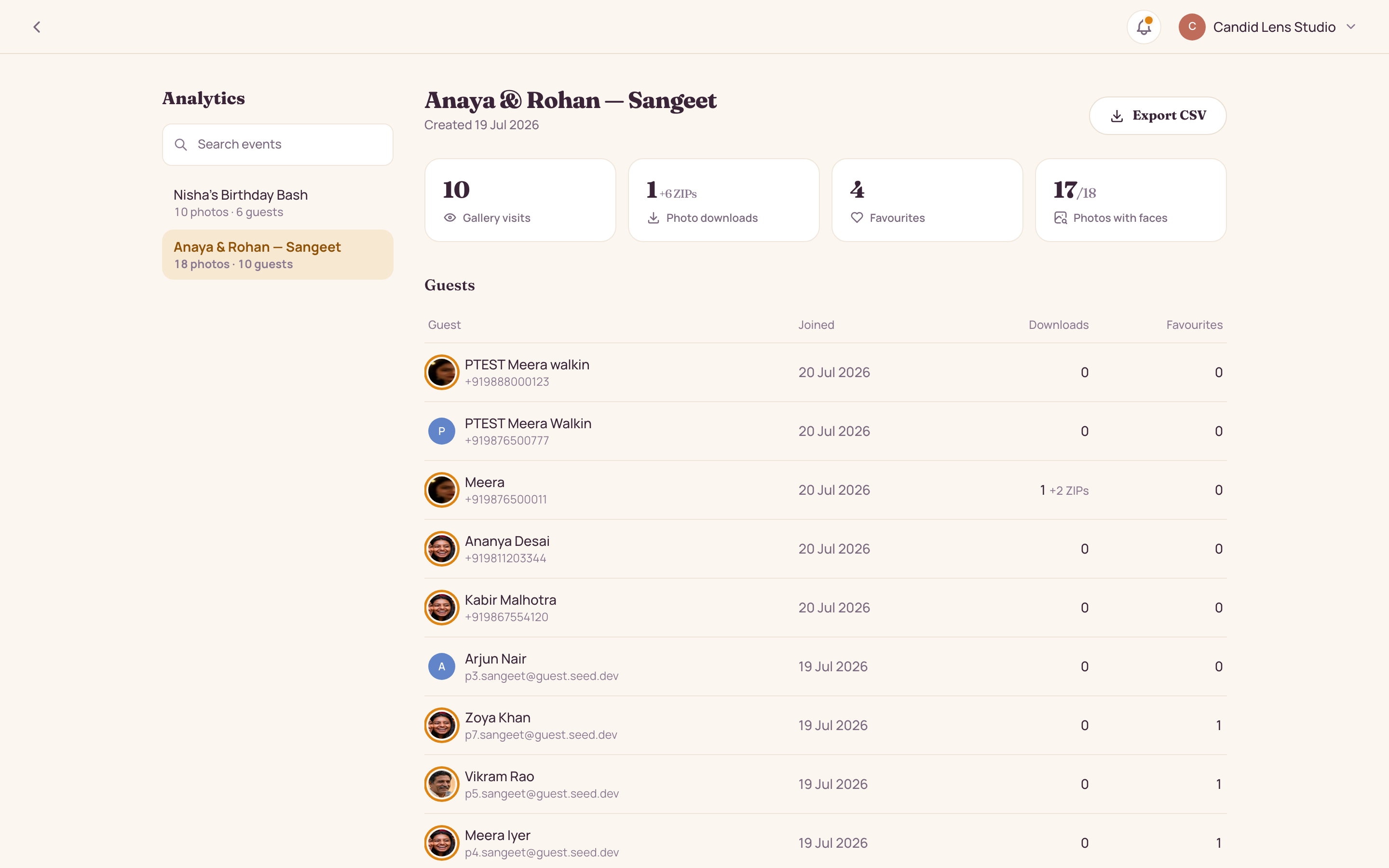
  • Photo engagement in one glance: 3,912 gallery views, 84% of matched guests opened, 46 photos hearted
app.studionity.com
Analytics summary: photo engagement with 3,912 gallery views and 84% of matched guests opened, favourites hearted, and a joined guest table of downloads and hearts
Analytics — gallery views, who opened, who downloaded, all in one summary.

Illustrative demo event — sample numbers, not client results.


Client review

Let the client pick the keepers — the book builds itself.

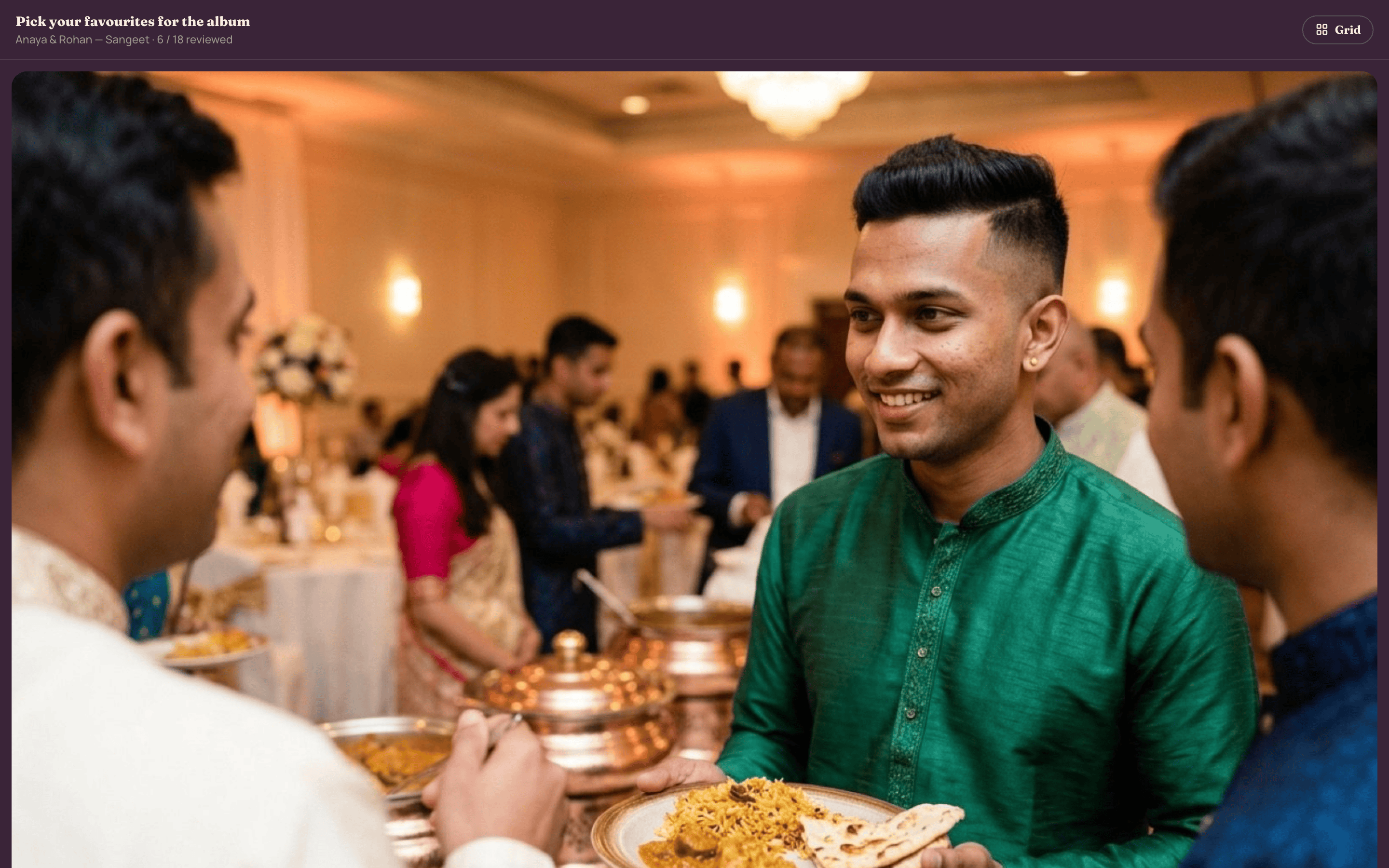
Send a review reel and the couple, the family or the brand team swipe through — approve or skip. Their picks flow straight into the design and photo book. No exporting, no email chains, no “which one did you mean?”.

  • Reel-by-reel picking — “Reel 2 · 35 of 60,” 34 approved, 26 to go
  • Approvals feed the design / photo book automatically
  • The client works from their own portal — you just watch the picks land
app.studionity.com
Client review reel: pick-your-favourites flow with Approve and Skip on Reel 2, 34 approved of 60, feeding straight into the photo book
Client review reel — pick the favourites, straight into the book.
On the wall

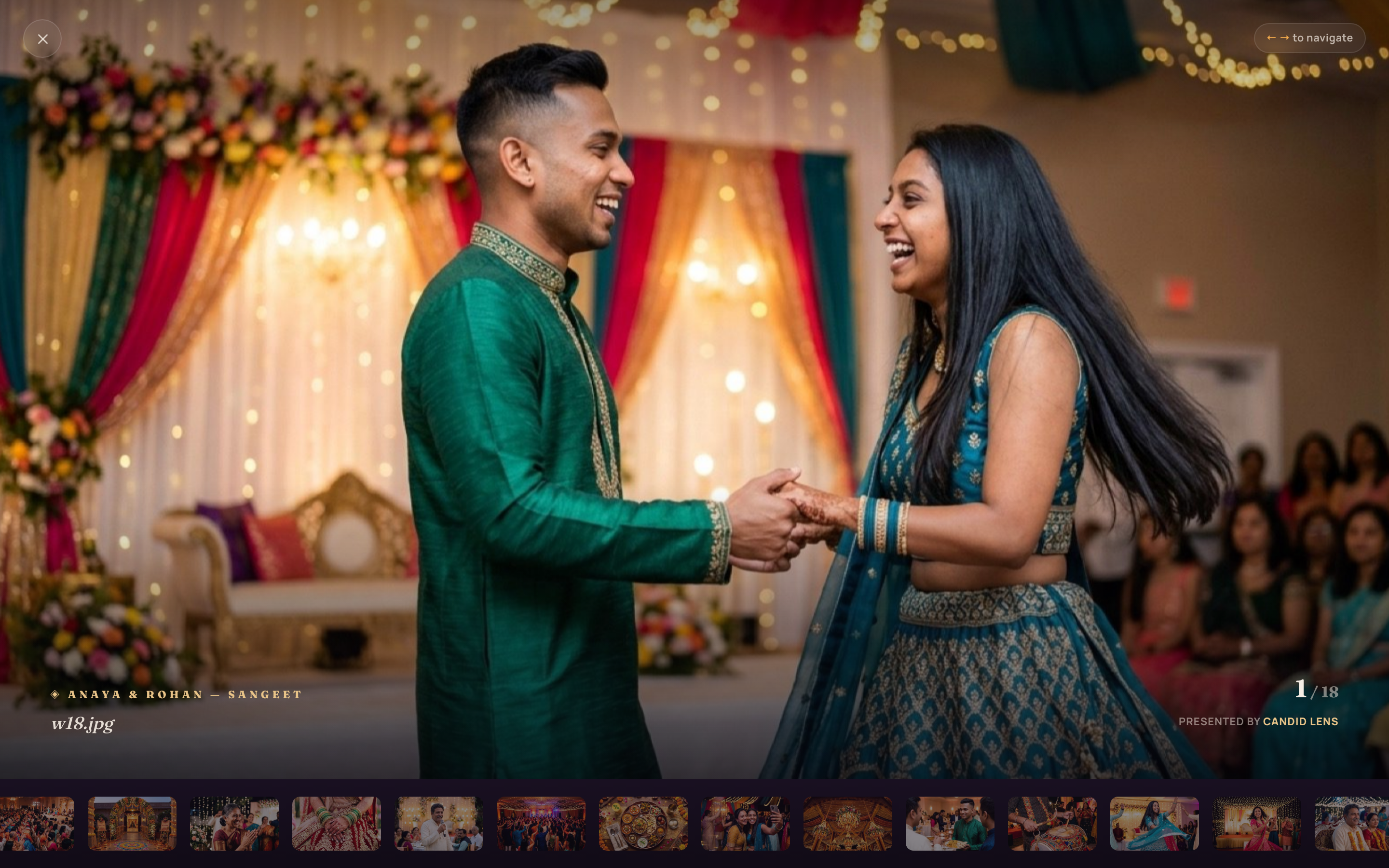
Put the night on the big screen.

app.studionity.com
Projector viewer: a full-screen live big-screen reel of the event, credited 'Presented by' the studio
Projector viewer — a live big-screen reel, presented by your studio.
Billing & branding

One balance, one brand — across every event.

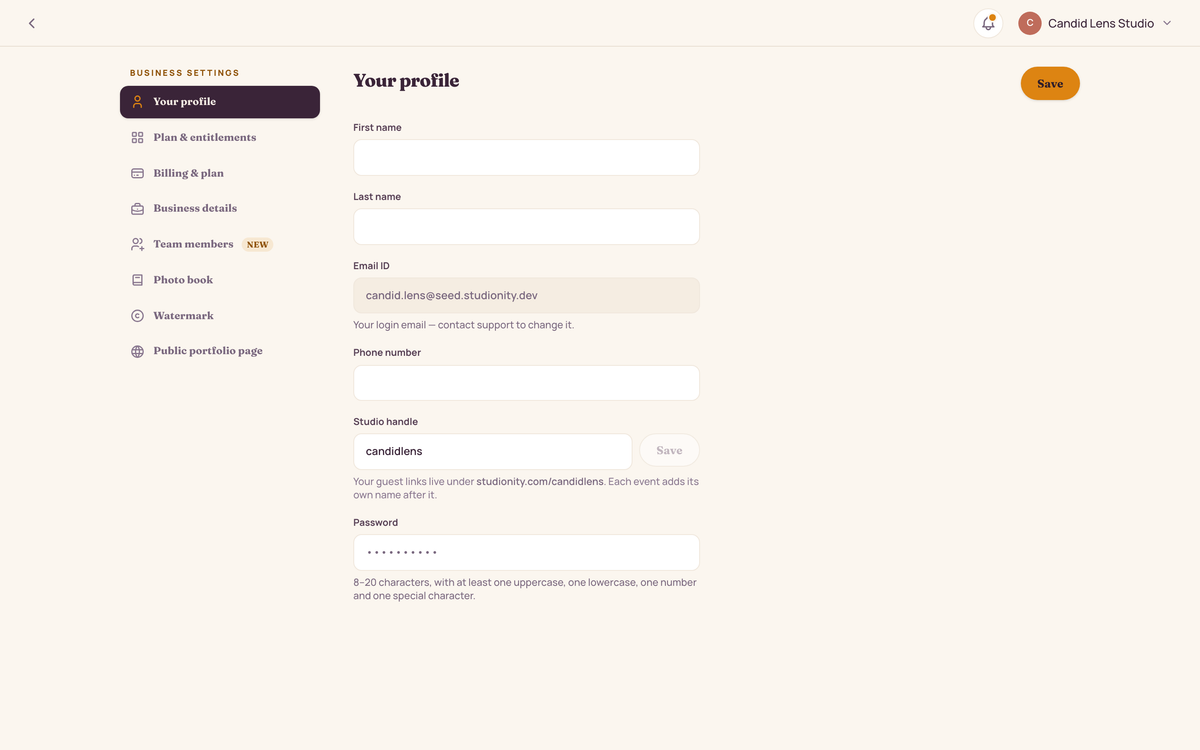
Your plan, branding and team live in one account, not per event. You top up once and spend it on whatever the next celebration needs.

  • Plan space for your photos — delete old work to free it anytime; one messaging wallet for invites
  • Studio branding — logo, accent colour and a download watermark — dresses every gallery, pass and invite
  • Scope team members to chosen events; owners see everything
  • Turn Share, Edit and Events on or off — downgrades never touch delivered galleries
app.studionity.com
Account settings: studio profile, the three spaces (Share, Edit, Events), a 412-credit wallet with billing ledger, studio branding and download watermark, and scoped team access
Account — plan, branding and team in one place.

See your studio deliver itself.

The pilot is invite-only while we polish the engine with real celebrations. Tell us about your next shoot — we'll show you the whole delivery, live.

Connect with us WhatsApp us
Invite-only pilot · Made in India