search
Feature · Guest management

One guest record, from RSVP to photo delivery.

The list you invite is the list you seat, scan in and deliver photos to — one record per guest, no second spreadsheet, nothing re-typed. It holds a sangeet's 214 or a summit's few thousand the same way: weddings, corporate summits, conferences, expos & fairs, college fests, launches and birthdays.

The one list

The RSVP list is the delivery list.

Invite, seat, scan in and deliver photos from a single record per guest. Filter by status, search by name, table or pass number, and act on a whole selection at once.

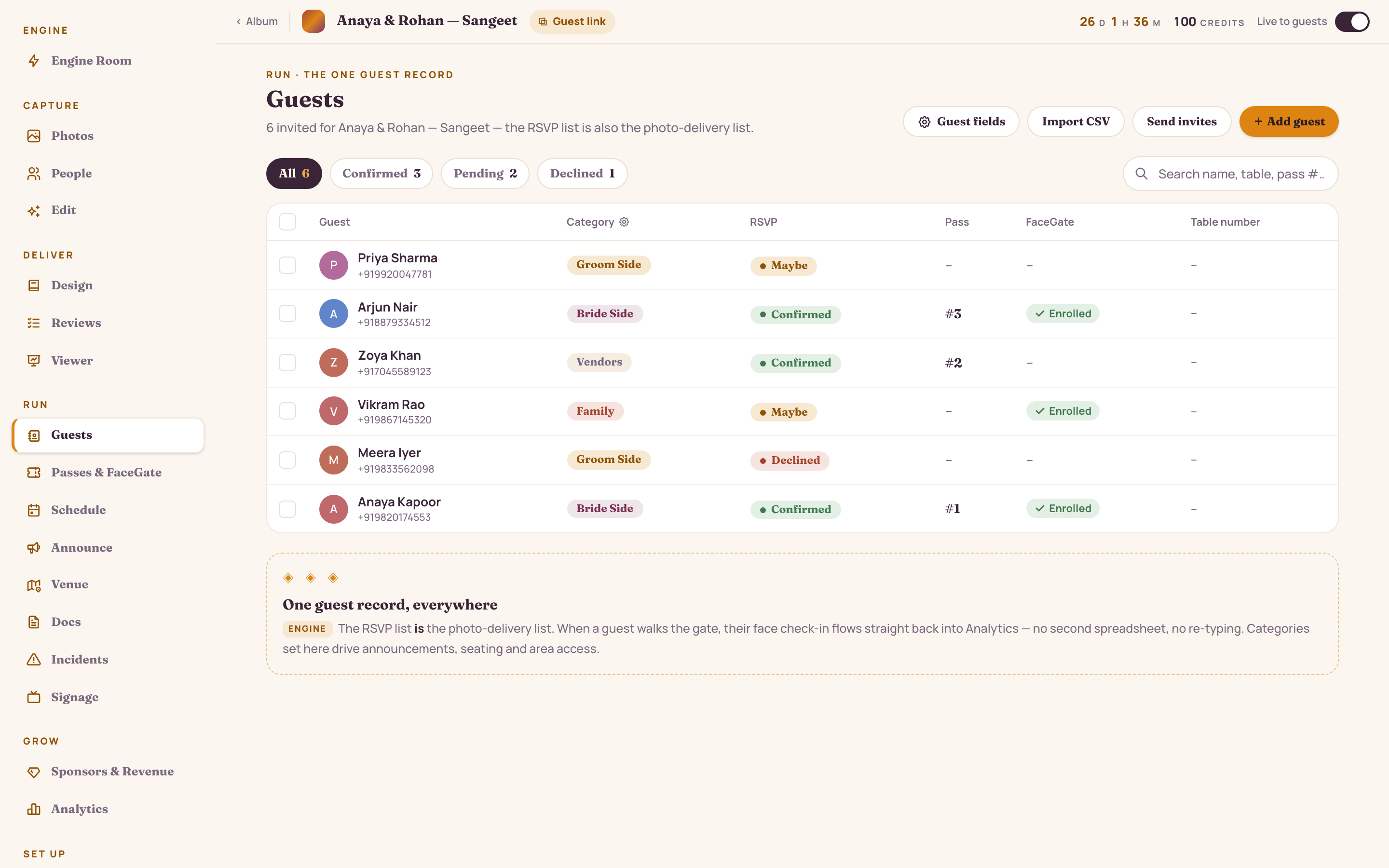
  • Live RSVP filters — 214 invited, 178 confirmed, 24 pending, 12 declined
  • Name your own columns, and build the RSVP form from choice, number, yes/no, date and short-answer questions
  • Import any spreadsheet — standard columns map themselves, extras become custom fields prefilled per guest
  • Bulk-assign a photo role, allow guest uploads, or issue passes across a selection
  • Blast the join link and QR by WhatsApp or email, with the send cost shown before you blast
app.studionity.com
Guest list — 214 records with RSVP status filters (178 confirmed, 24 pending, 12 declined), a configurable Side custom column, per-row pass, FaceGate and table, plus a bulk bar to assign photo roles, allow uploads and issue passes
Guests — one row per person, with filters, custom fields, CSV import and bulk actions.

Categories & access

Categories that decide who walks where.

Tag guests into categories that stack — a guest can be Bride's side and VIP, or Delegate and Speaker. Categories drive announcement targeting, seating and analytics — and, mapped to the zones on your venue map, who the gate lets into each area.

  • Stackable categories — name them anything, a guest can hold several
  • Map categories to zones: VIP Lounge to VIP; the stage to Family and VIP
  • Access is enforced at every scan — face or QR — and the crew screen always says why
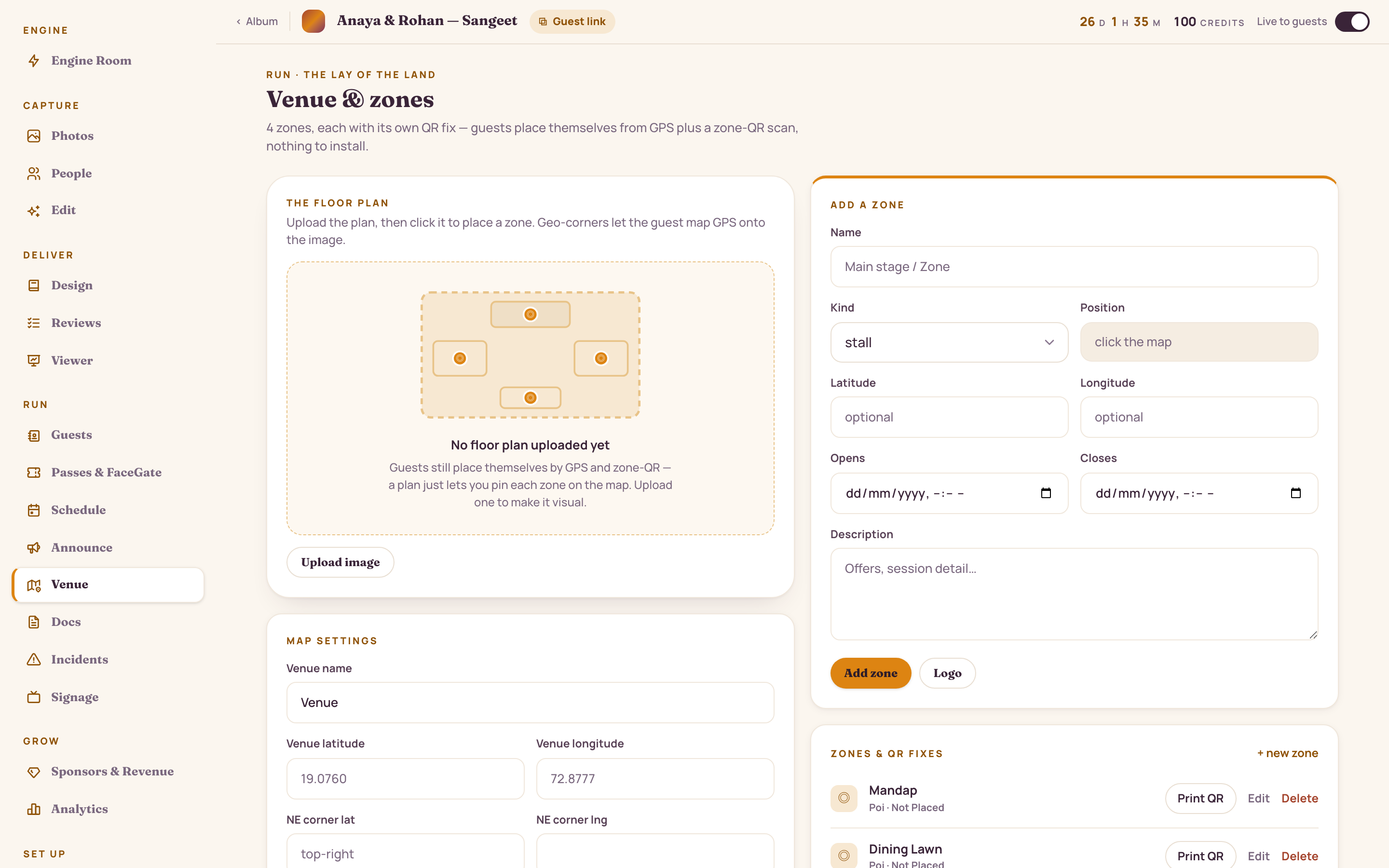
  • Print a QR fix for each zone so guests place themselves with nothing to install
app.studionity.com
Venue and zones floor plan — six labelled areas (Mandap/Stage, Dining Lawn, Food Court, Photo Booth, Poolside, Gate 2), each with its own printable QR fix and a live count of guests nearby
Venue & zones — six areas, each with its own QR fix and category-based access rule.

For the host or client

A roster the client can manage — safely.

Hand the couple, the corporate host or the event manager a clean view of everyone who joined. They set who sees what and who can add photos, while the controls that shouldn't move stay with the studio.

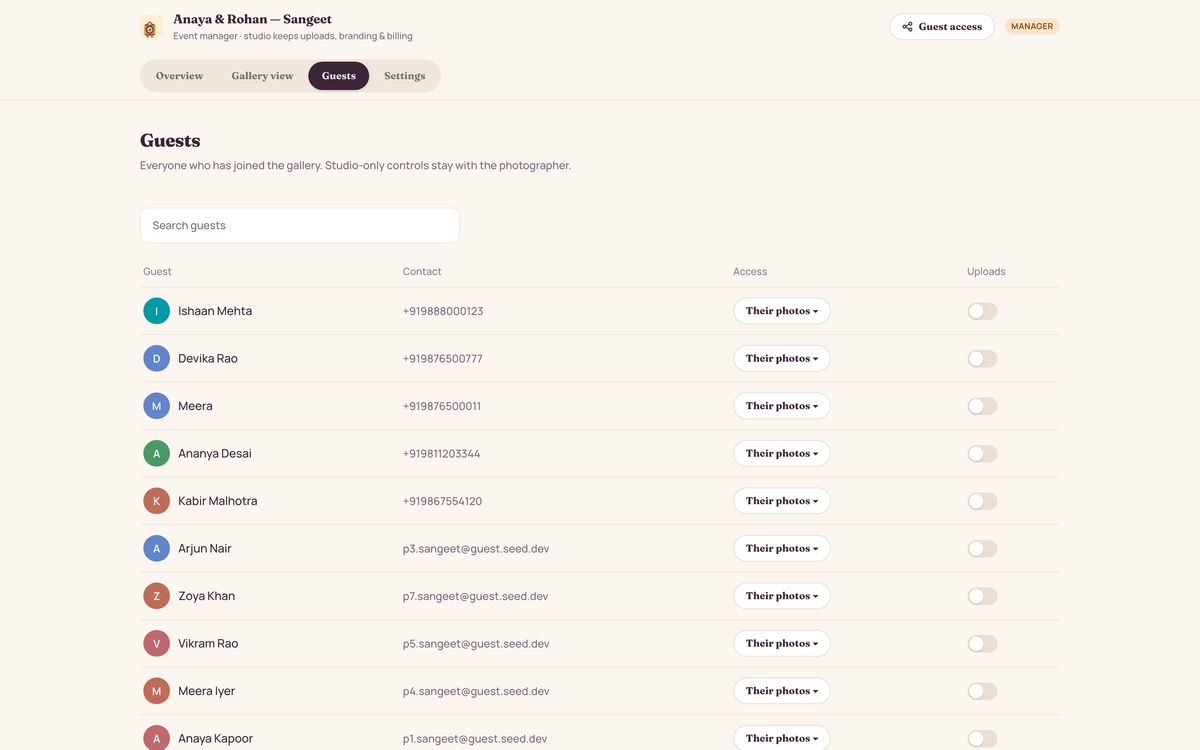
  • Per-guest access: their own photos, all photos, or co-host as an event manager
  • Toggle who can add to the shared upload folder
  • Browse-without-joining, downloads and the gallery PIN stay with the studio
app.studionity.com
Guest list in the client manager view — each guest's photo access set to their own photos, all photos or event manager, an uploads toggle per guest, and a note that browse-without-joining, downloads and the gallery PIN stay with the studio
Guests, manager view — the client sets access and uploads; studio-only controls stay locked.
Settings & visibility

The knobs behind the whole event.

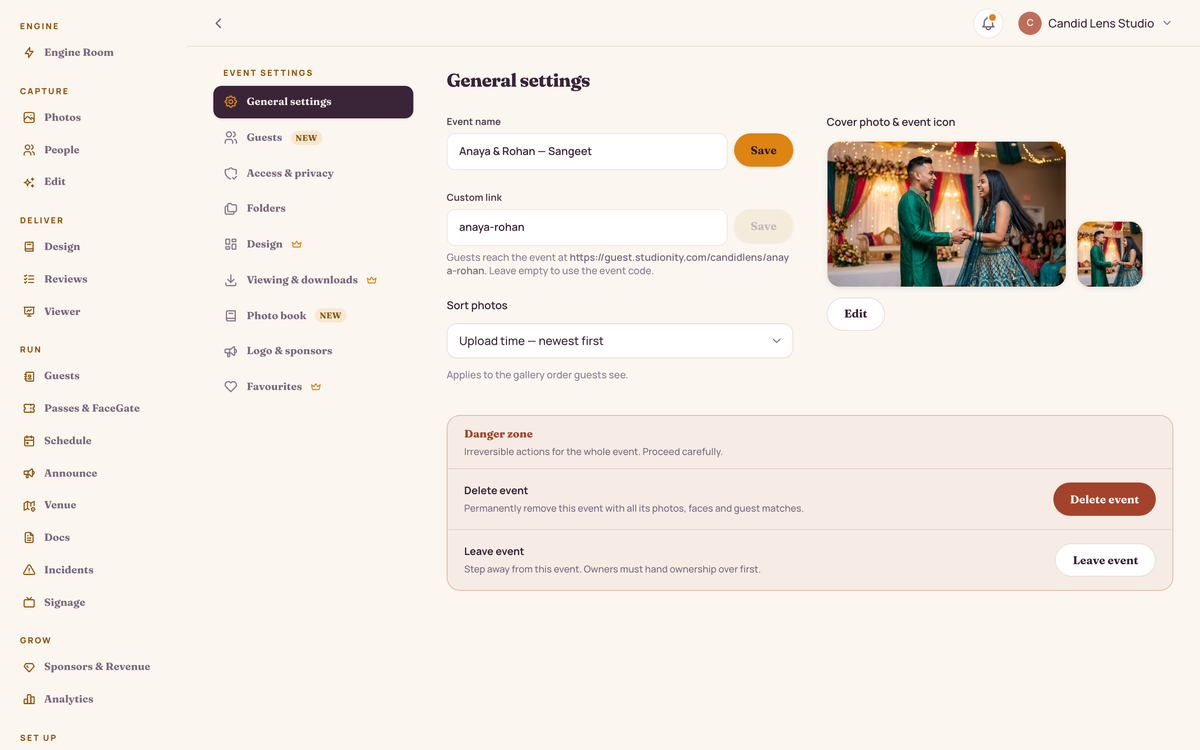
Name, date, venue and event type; the guest link that locks to a permanent code once the first QR is printed; retention, the gallery PIN and each event's own guest-app look — all in one place.

app.studionity.com
Event settings — General tab with event name, date, venue and an event-type selector (Wedding / Corporate summit / Gala / Birthday), plus a guest link that locks to a permanent join code once the first QR is printed
Event settings — the guest link locks to a permanent code once the first QR is printed, so a printed sign never breaks; privacy, 90-day retention and the gallery PIN live here too.

See your event run itself.

The pilot is invite-only while we polish the engine with real celebrations. Tell us about your next event — we'll show you the whole night, live.

Connect with us WhatsApp us
Invite-only pilot · Made in India